16 Line Quran – Dual Page
A free web app to read the complete Holy Quran in the 16-line IndoPak (Hafizi) script, two facing pages at a time, just like a printed mushaf.
Open the Quran reader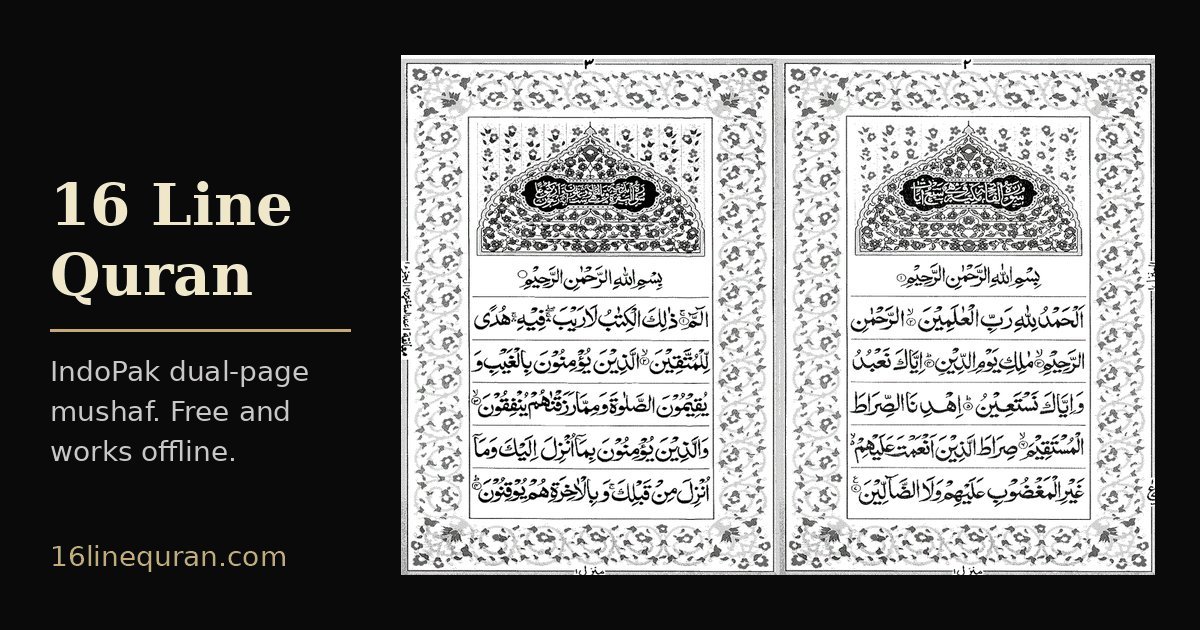
Features
- The full Quran as 275 two-page spreads, read right to left like a book.
- Jump straight to any Surah, Juz or page.
- Swipe, drag or use the arrow keys to turn pages, and pinch to zoom.
- Long-press a page to add a colored bookmark and write a note.
- Night mode, a landscape dual-page layout, and your last page remembered.
- Works offline once installed. No ads, no account, and your data stays on your device.
Install it on your phone or computer
iPhone or iPad (Safari): open 16linequran.com, tap the Share button, choose Add to Home Screen, then tap Add.
Android (Chrome): open 16linequran.com, tap the ⋮ menu, then choose Install app (or Add to Home screen).
Computer (Chrome or Edge): click the install icon at the right end of the address bar.
Open the installed app once while online and wait for “Ready to read offline” (about 50 MB). After that it works without internet.
Questions
What is a 16 line Quran?
A 16 line Quran is a mushaf printed in the IndoPak (South Asian) script with 16 lines on every page. It is often called the Hafizi Quran because many people memorizing the Quran learn from it: the fixed page layout helps them remember where each verse sits on the page.
Is it free?
Yes. It is free to use, has no ads and needs no account or sign-up.
Can I read offline?
Yes. Install it to your home screen and open it once while online. When it shows “Ready to read offline”, it works without internet.
Can I jump to a Surah or Juz and bookmark pages?
Yes. Use the menu to jump to any Surah, Juz or page, and long-press a page to bookmark it with a color and a note. Bookmarks and notes stay on your own device.